

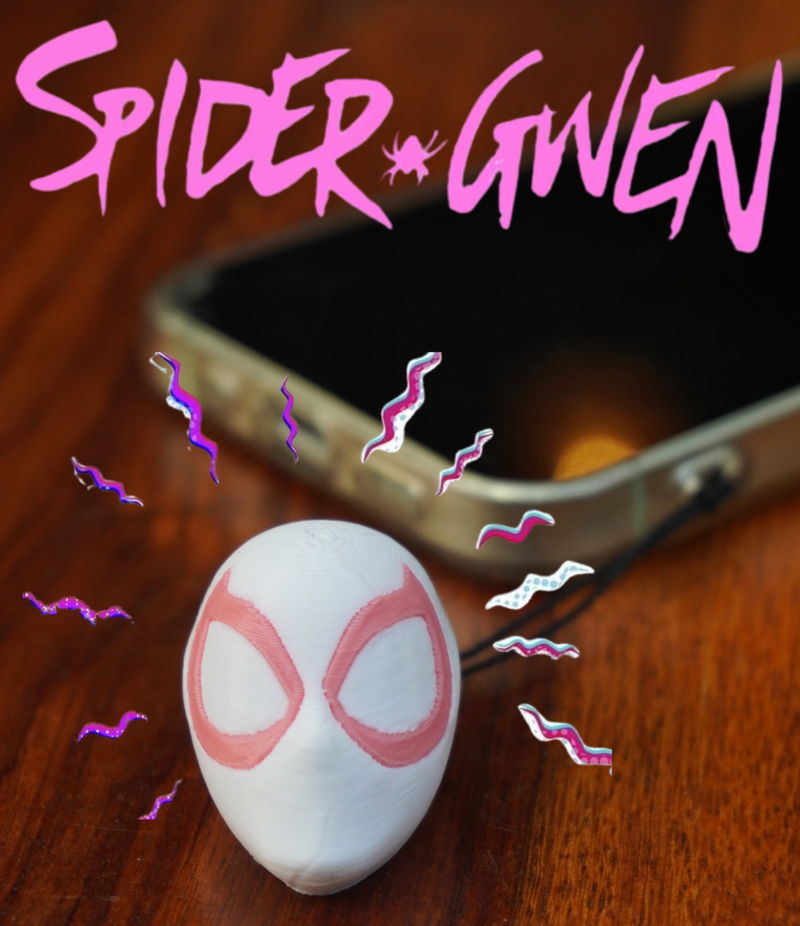
Gwen - NFC Charm
Rs. 749.00 INR
Sale price
Rs. 749.00 INR
Regular price
Rs. 900.00 INR
Skip to product information


Gwen - NFC Charm
Rs. 749.00 INR
Sale price
Rs. 749.00 INR
Regular price
Rs. 900.00 INR
Meet Gwen 🕷️
Tutorial
How to Rewrite Your Link
Want to share something new? Just rewrite it. Takes under a minute.
-
1
Download NFC Tools
It's free on both App Store and Google Play. Search "NFC Tools" — blue icon.
📱 NFC Tools — Free -
2
Tap "Write" → "Add a Record"
Open the app, hit the Write tab → Add a Record → choose URL/URI.
-
3
Enter Your New Link
Paste or type any URL — Instagram, WhatsApp, Linktree, Spotify, or any website.
-
4
Hold Charm to Phone & Tap "Write"
Bring the charm close to the back of your phone. Hit Write — done in 1 second!
Education
What is an NFC Charm?
It's a cute 3D-printed character that clips to your phone — with a tiny NFC chip hidden inside. Tap it to any NFC-enabled phone and instantly share whatever link you've saved to it. No app needed for the person tapping. No QR code. Just tap.
-
Built-in NFC Chip
A tiny chip inside the charm wirelessly transfers your link to anyone's phone in a second.
-
Write & Rewrite Anytime
Change the link whenever you want — Instagram today, portfolio tomorrow, event ticket next week.
-
No App for the Receiver
The person tapping your charm doesn't need any app. It just opens the link automatically.
-
Zero Battery, Forever
NFC doesn't need power. Your charm works as long as the phone scanning it is on.


NFC Enabled
Soft PVC Build
Rewrite Unlimited Times
Battery Free
Works with All Phones
Made in India
Got Questions?
Frequently Asked
No! NFC technology is completely passive. Your charm draws the tiny bit of power it needs from the phone scanning it. No charging, no battery, ever.
Yes! It works on iPhone 7 and newer (iOS 13+) and all modern Android phones. Just tap the charm to the back or top of the phone.
Absolutely. You can rewrite the link as many times as you want using the free NFC Tools app. Share Instagram today, your portfolio tomorrow.
No app needed for the receiver! When someone taps your charm, their phone automatically opens the link in the browser.
Every charm comes with a secure strap that attaches to your phone case's loop, bag zipper, or keychain.
The PVC casing handles everyday rain and sweat fine. We recommend not fully submerging it.